
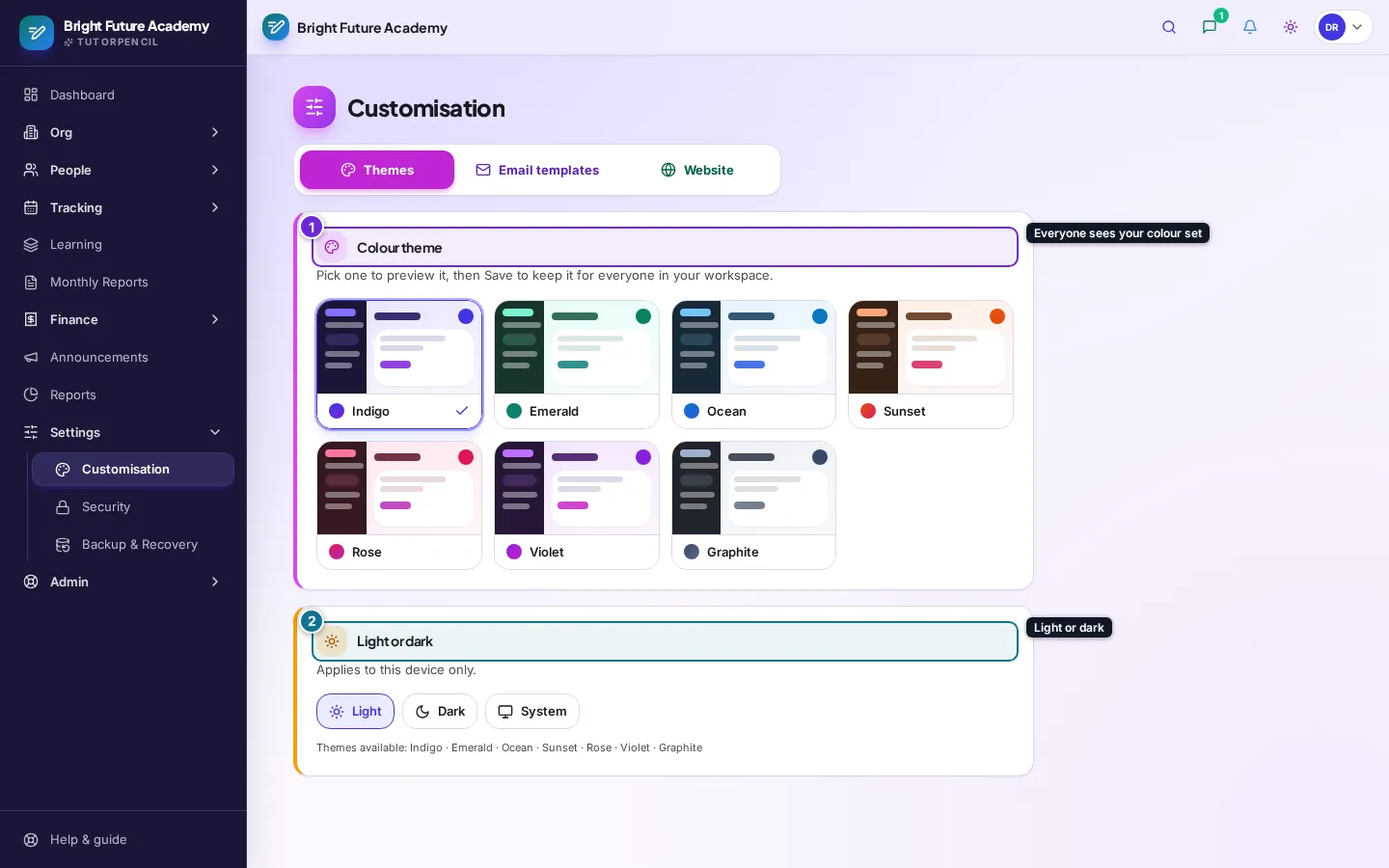
- Open Settings → Customisation → Themes.
- Under Colour theme, pick a theme to preview it, then press Save to keep it for everyone in your workspace.
- Under Light or dark, choose your own mode; it applies to this device only.
How it works
- Colour theme — the owner picks one theme for everyone in the institute.
- Light or dark — each person chooses for their own device only.
Troubleshooting & FAQ
A colleague still sees the old theme — ask them to reload the app after you save. Dark mode is hard to read on a projector — switch that device to light mode; it doesn't affect anyone else.
Related pages: Customization — themes, emails, website and menusYour institute website