
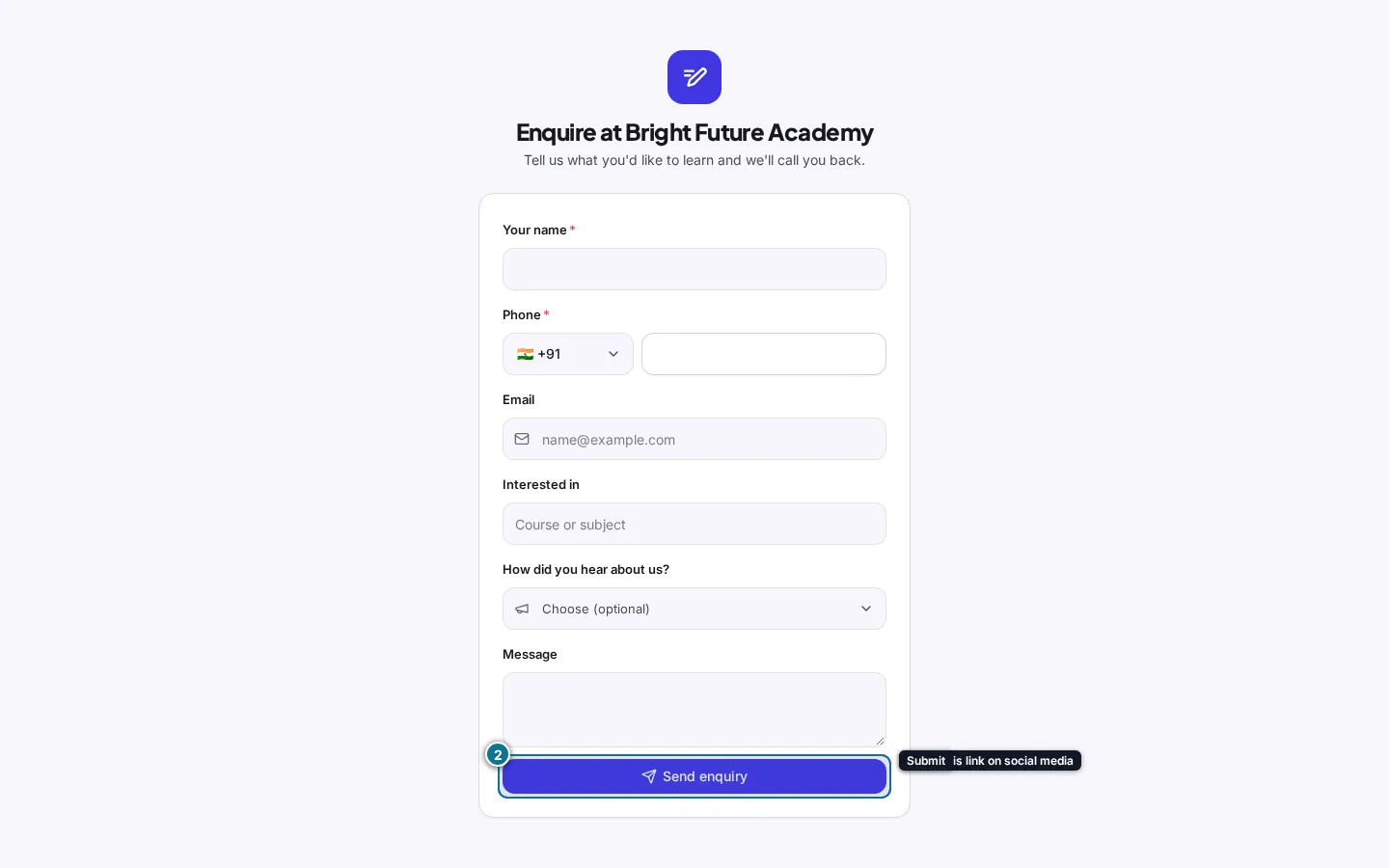
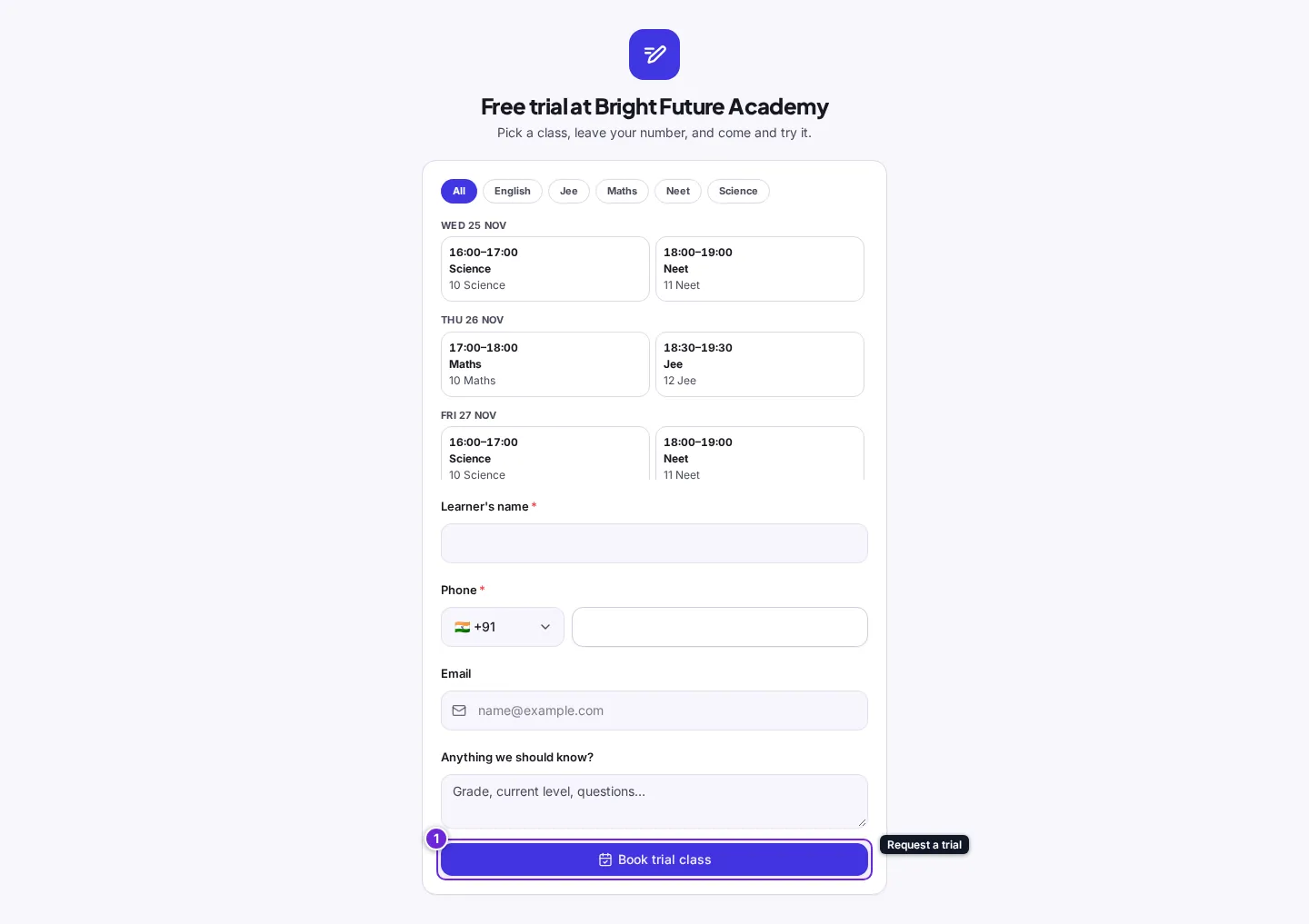
- Open Org → Details → Public forms, Copy the enquiry and trial-class links and share them on WhatsApp, posters or social media. Preview shows what visitors see.
- Visitors on the trial-class page pick a class from your timetable and leave their details; the enquiry arrives with a trial date.
- For a walk-in or call, press New enquiry and fill Name, Phone, Email, Interested in, How did they hear about us?, Referred by, Branch and Notes.
How it works
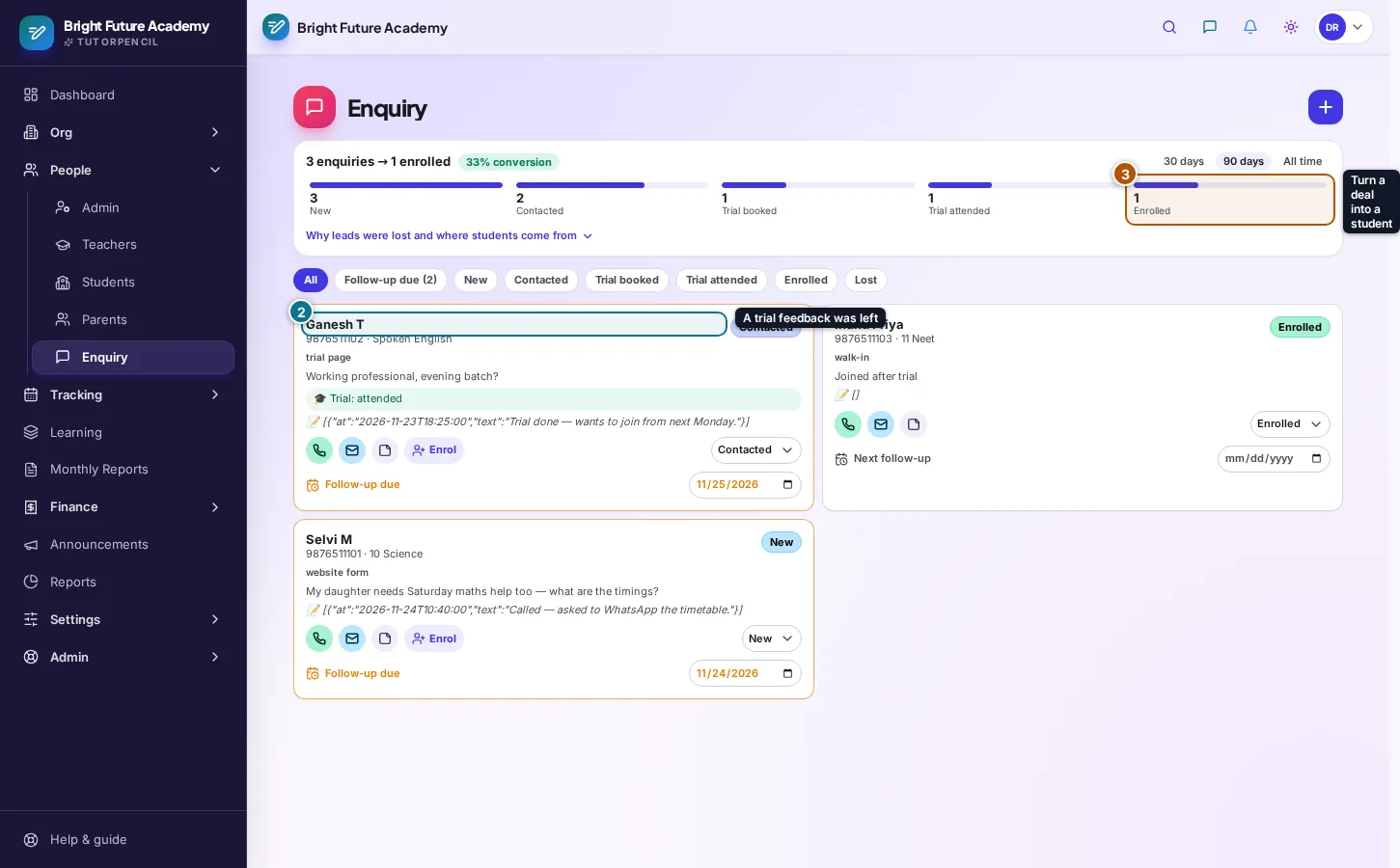
Enquiries move through stages: New, Contacted, Trial booked, Trial attended, Enrolled — or Lost. They come from:
- your public enquiry form and free trial-class links (copy them from Org → Details → Public forms),
- your institute website's enquiry form,
- and enquiries you add yourself with New enquiry (walk-ins, calls).
Daily use
- On a card, use Call or Email to contact the person, and Save notes with what was discussed.
- After a trial class, mark Attended and add Trial feedback and follow-up: recommended batch, level and the teacher's note. Draft follow-up message writes a message with AI that you can edit and send by WhatsApp, Email or Copy.
- Enrol turns the enquiry into a student (you confirm the parent agreed to their details being kept). Then set their batch and fee on the student record.
- Mark lost asks Why was it lost? The chart below the board shows lost reasons and which sources lead to enrolments.
Troubleshooting & FAQ
A visitor submitted twice — mark one as lost with a reason such as "Duplicate". An old form link stopped working — someone pressed New link. Share the current link from Org → Details.
Related pages: Organisation detailsStudentsBatches