
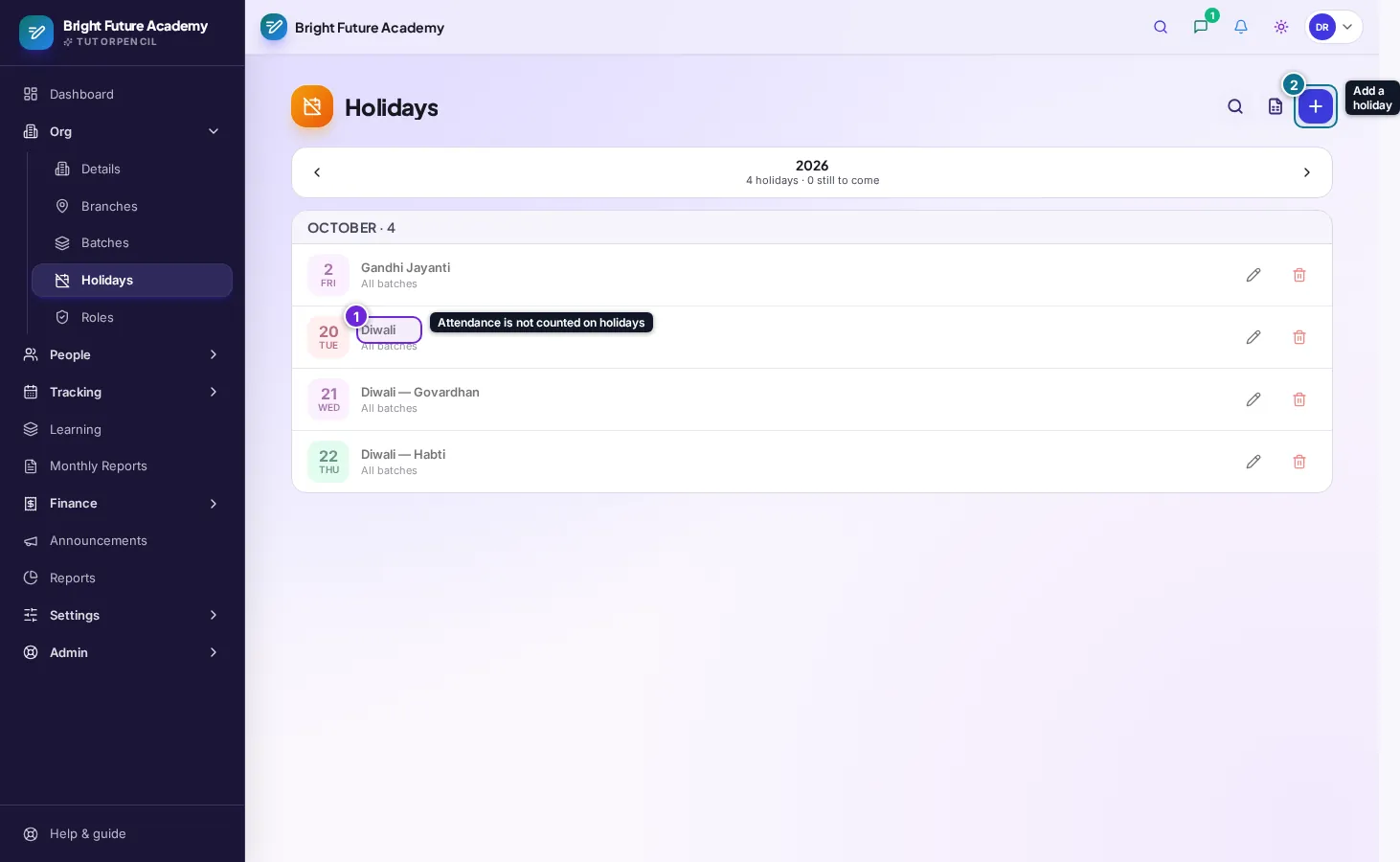
- At the start of the year, open Org → Holidays and add each holiday with Add Holiday.
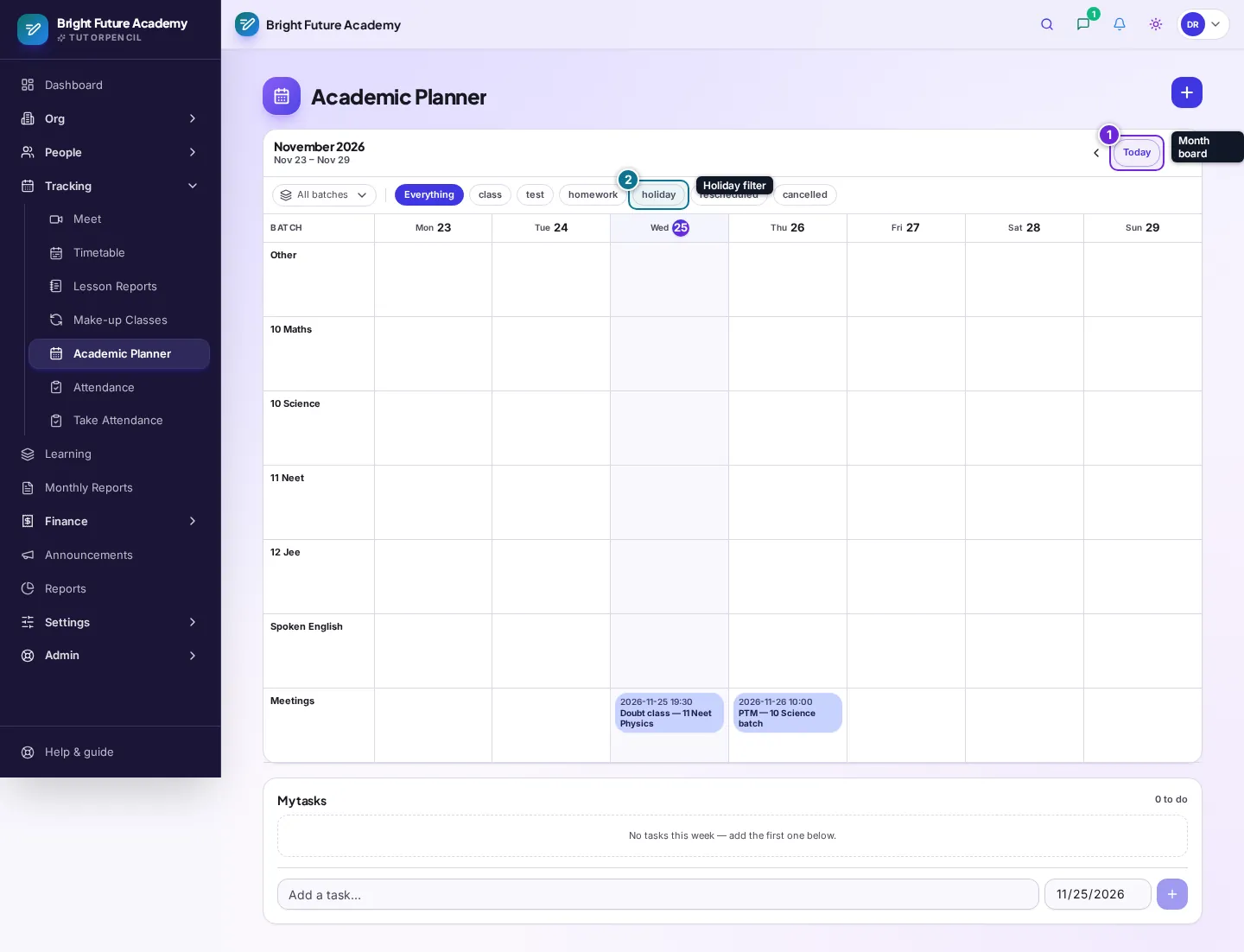
- For a single batch's class that won't run, add a cancelled event on the Academic Planner (Add to planner) for that batch and date.
How it works
- Academic Planner shows a week at a time: tests, homework due dates, holidays, cancelled classes, meetings and other events. Filter by batch, and move with Previous week / Next week.
- Org → Holidays shows the whole year. Press Add Holiday for a day the institute is closed; attendance on that day isn't counted.
- My tasks beside the week is your personal to-do list (Add a task…).
Daily use
- Drag a test or homework tile to another day to change its date.
- Students and parents see their own batches' events.
Troubleshooting & FAQ
I added a holiday after attendance was taken — open that day under Tracking → Attendance and correct the marks.
Related pages: TimetableTaking attendancePlanned leave