
- Open the learner in People → Students.
- Choose the fee schedule, the amount and the First payment date.
- Optional discount: Discount type (percentage or amount), Reason for the discount, Approved by, and Discount applies to the first payment only if it's a one-off.
- Save. Their plan, dues, reminders and receipts then run from Finance → Fees.
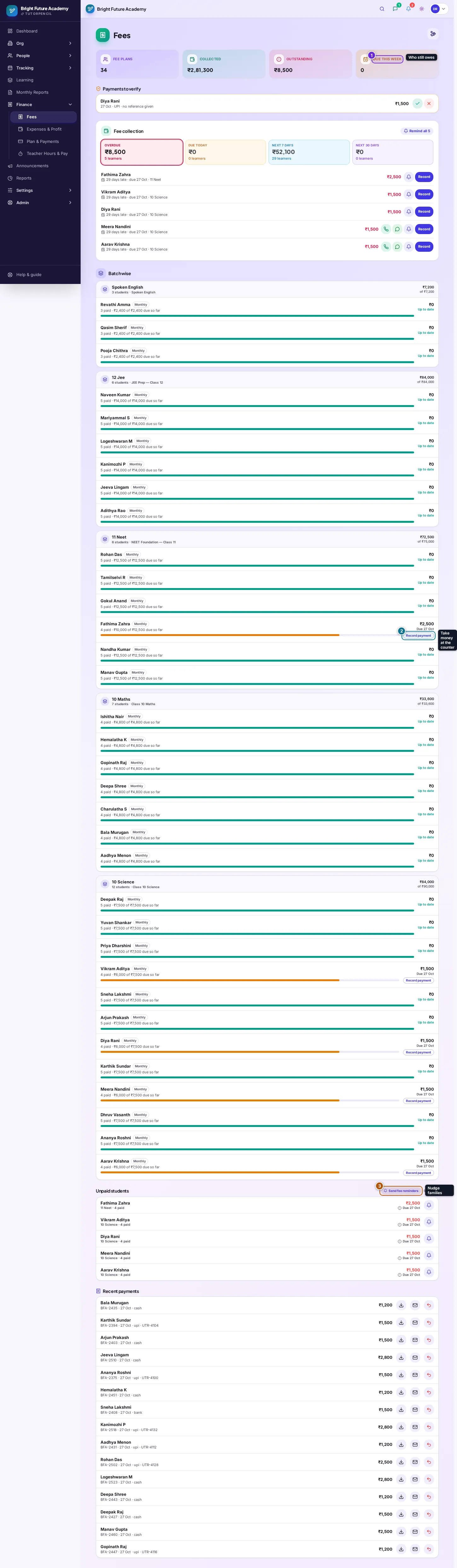
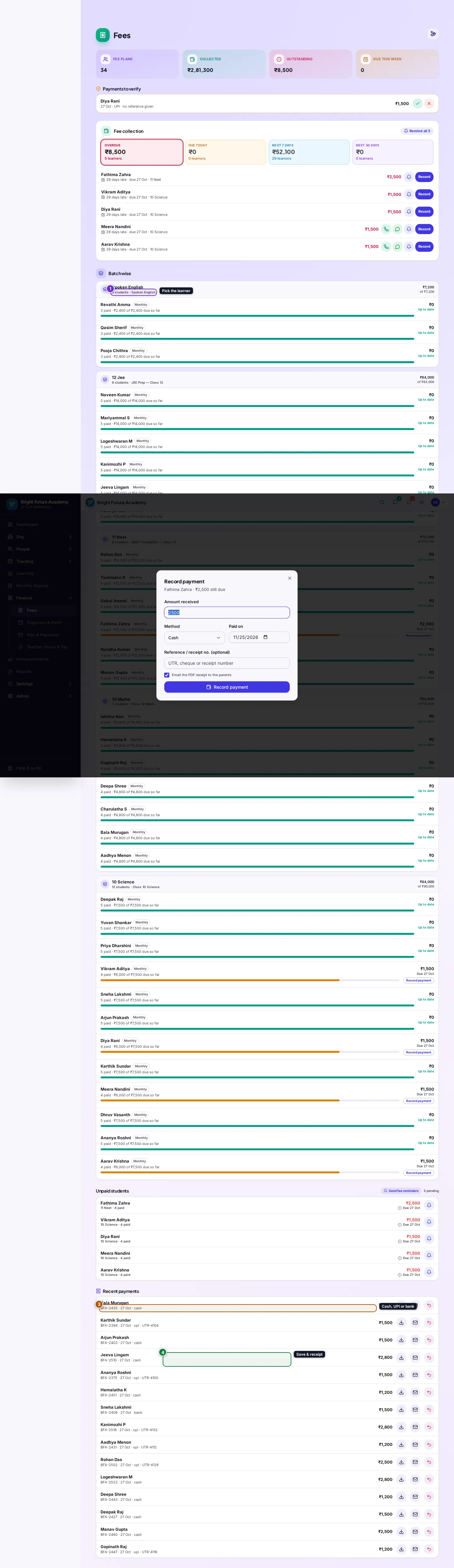
How it works
Each learner has a fee plan on their student record. There are two kinds:
- Monthly — recurring, with no end date.
- Total course fee — a fixed course, paid in full (One time payment) or by EMI installments, with a course duration, interest rate and downpayment.
Finance → Fees shows Collected, Outstanding and Due this week, and lists learners Batch wise.
Troubleshooting & FAQ
"No fee plans yet" — add a course fee to a learner under People → Students. Collected doesn't match the bank — only payments recorded or confirmed in TutorPencil are counted.
Related pages: Recording payments + receiptsUnpaid students & remindersParents see fees & pay